Convert Receipts to Excel Effortlessly
Snap photos of receipts or upload scanned receipts. Automatically extracts merchant names, items, quantities, prices, taxes, and totals into a clean spreadsheet.
Example: Upload 15 business expense receipts. Get one Excel file with all purchases itemized, categorized by merchant, and totaled for expense reports.
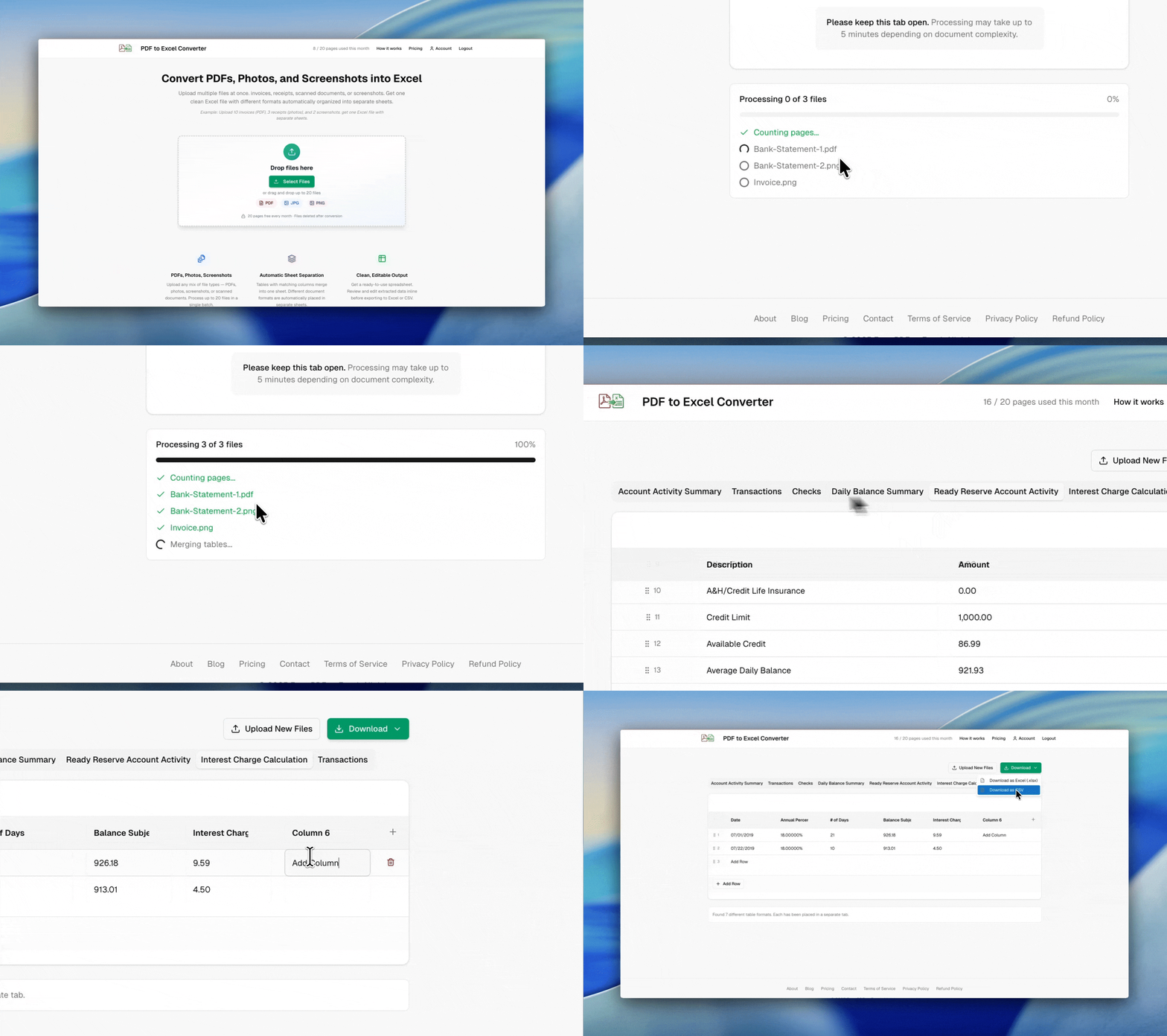
Example: mixed PDFs, photos, and screenshots → one clean Excel file with separate sheets
Photo or Scan
Take photos with your phone, use scanned images, or upload PDF receipts. Works with crumpled, faded, or low-quality receipts.
Itemized Extraction
Reads individual line items, quantities, unit prices, subtotals, tax amounts, tips, and grand totals from any receipt format.
Expense Report Ready
Batch upload receipts from a trip or month. Get organized data ready to paste into expense reports or accounting software.
Privacy-first processing
Files are processed securely and automatically deleted after conversion. We do not store your document contents.

Built by Soheil Ebrahimi
Independent software engineer based in Germany. I built this tool to solve a real problem — extracting data from documents without manual retyping.
Connect on LinkedIn