Extract Tables from PDF to Excel
Upload any PDF containing tables. Automatically identifies table structures, extracts data, and preserves columns and rows in an editable Excel spreadsheet.
Example: Upload a 50-page financial report with multiple tables. Get each table extracted into separate sheets, ready for analysis.
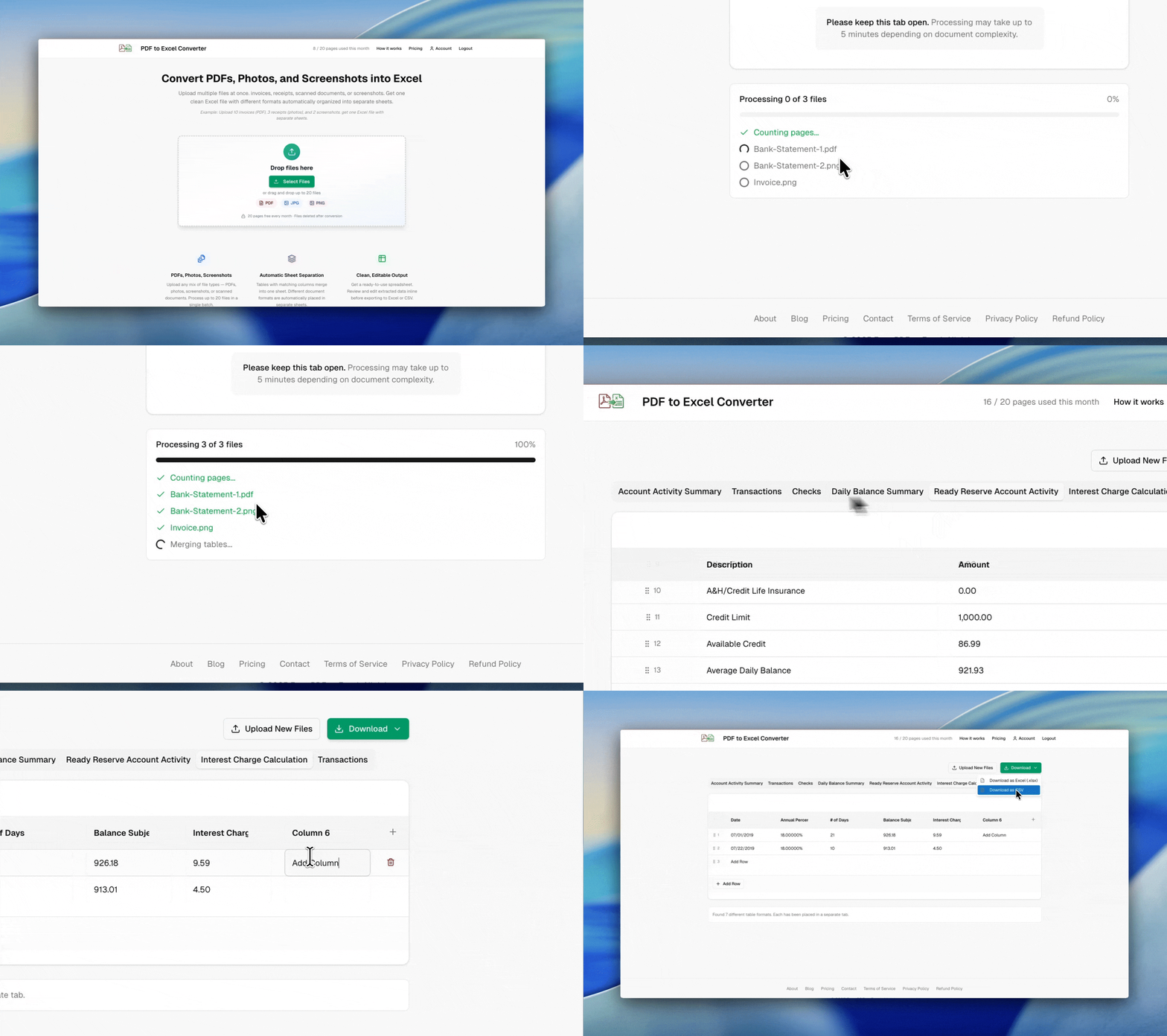
Example: mixed PDFs, photos, and screenshots → one clean Excel file with separate sheets
Any PDF Table
Financial reports, research papers, government documents, product catalogs. Extract tables from any PDF regardless of formatting.
Structure Preserved
Maintains column alignment, merged cells, headers, and data relationships. Multi-page tables are combined automatically.
Multiple Tables
PDFs with many tables? Each distinct table gets its own sheet. Similar tables across pages merge together automatically.
Privacy-first processing
Files are processed securely and automatically deleted after conversion. We do not store your document contents.

Built by Soheil Ebrahimi
Independent software engineer based in Germany. I built this tool to solve a real problem — extracting data from documents without manual retyping.
Connect on LinkedIn